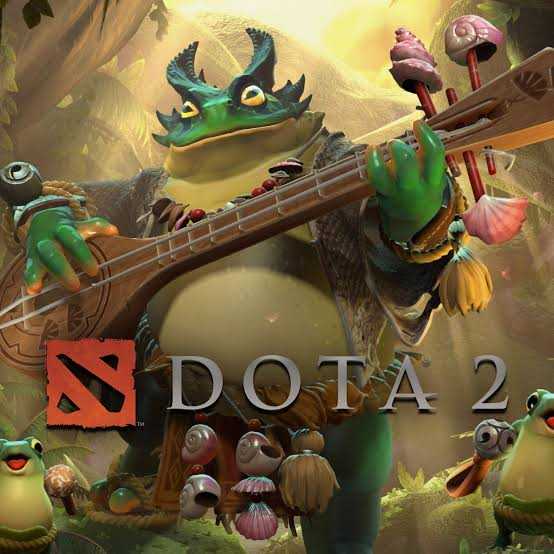
I use Claude Code for most of my personal projects and OpenCode at work. I’ve been meaning to try Pi for a while. I’m quite happy with Claude, so I never had a proper reason to dive in — until I stumbled across opencode-warcraft-notifications. It’s a brilliant idea: play World of Warcraft sounds as notifications for your coding agent. The only problem? I’ve never played WoW, so I have zero emotional attachment to those sounds. Dota 2, on the other hand — I played that game for years and had an absolute blast with my friends. The voice lines are burned into my brain.
So I did what any reasonable person would do. I made my coding tools yell at me in the voice of Dota 2 heroes.
The Idea
If you’ve played Dota 2, you know the voice lines are iconic. Axe screaming “Axe cuts no more…” when he dies. Zeus saying “Your god has arrived.” entering the buttle. Pudge’s “Get over here!” when he hooks you. These lines carry unmistakable emotional weight — you know immediately whether something good happened, something bad happened, or something needs your attention.
That maps perfectly onto coding agent events:
- Task complete — play a victory line. “Axe-actly!”
- Error — play a defeat line. “All your fault!” “Bury me here.”
- Needs attention — play a thinking/waiting line. “Hey, I was thinking!”
- Session start — play a battle cry. “TO THE ENEMY!” “Back for more!”
The feedback is instant and ambient. I don’t need to look at the terminal to know what happened. And honestly, hearing Axe celebrate after a successful refactor never gets old.
Three Tools, Three Integration Models
The interesting engineering challenge wasn’t playing sounds — that’s just afplay on macOS. The challenge was integrating with three fundamentally different hook systems.
Claude Code: Shell Hooks
Claude Code has the most straightforward model. You add shell commands to ~/.claude/settings.json that trigger on specific events like Stop, Notification, PostToolUseFailure, and SessionStart. Each hook is just a command that runs when the event fires.
{
  "hooks": {
    "Stop": [
      {
        "type": "command",
        "command": "node /path/to/dist/play.js success"
      }
    ]
  }
}
Clean, simple, no surprises. The hook runs, the sound plays, everyone’s happy.
OpenCode: JavaScript Plugin
OpenCode uses a plugin system where you write a JavaScript file that exports an init function. The plugin receives a session object and subscribes to events. This is more powerful but has some quirks.
The biggest one: there’s no reliable “task completed” event. session.idle isn’t what you’d expect. Instead, you have to watch for session.status transitions from busy to idle. Similarly, session.created fires before the plugin even loads, so for the start sound you just play it on plugin init.
These are the kinds of things you only discover by actually building against the API.
Pi: Extension Package
Pi has a proper extension system — you create a package with a pi key in package.json, and Pi loads it via jiti (so no compilation needed, just TypeScript directly). You subscribe to lifecycle events like session_start, agent_end, and tool_execution_end.
Pi’s model is the most structured of the three, but it has a gap: there’s no permission or notification event, so there’s no way to play the “needs attention” sound. You work with what the platform gives you.
What I Learned
Building the same feature across three different tools surfaces their design philosophies clearly.
Claude Code treats hooks as fire-and-forget shell commands. It’s the Unix philosophy — compose small tools via the shell. The downside is that your hook has no context about the session. The upside is that any language, any tool, any script can be a hook.
OpenCode gives you a richer runtime — you’re inside a JavaScript process with access to session state. You can make decisions based on context, which is why the busy-to-idle detection works. But you’re coupled to their API surface, which is still evolving.
Pi sits somewhere in between. You get typed events with structured data (like isError on tool execution results), but you install as a proper package with its own manifest. It feels the most “production-ready” of the three integration models.
The sound playback itself needed a few practical touches: a 3-second debounce cooldown prevents overlapping voice lines (agents can fire multiple events in quick succession), and the afplay process is detached so it never blocks the agent.
Hero Selection
I added hero filtering mostly because my partner was getting tired of hearing Axe all day. You can pick specific heroes and only hear their lines:
npx dota2-hero-sounds hero set crystal_maiden zeusThe implementation is simple — hero names are extracted from the filename prefix (Vo_<hero>_*.mp3), and sounds are filtered at runtime based on your config. If your selected heroes don’t have sounds for a particular category, it falls back to all heroes. Config lives in ~/.config/dota2-sounds/config.json and takes effect immediately — no reinstall needed.
Custom Sounds
The package isn’t limited to Dota 2. Any .mp3 works. Movie quotes, meme sounds, game SFX — organize them into success/, error/, attention/, and start/ folders and point the tool at your directory:
npx dota2-hero-sounds sounds set ~/my-custom-soundsI’ve seen people use Star Wars quotes, Dark Souls death sounds for errors, and the Metal Gear Solid alert noise for attention prompts. The categorization is by emotional meaning, not literal content — a voice line about “falling” could be an error sound if it sounds defeated, or a start sound if it sounds dramatic.
Try It
npx dota2-hero-sounds installIt auto-detects which tools you have installed. One command, and your next coding session starts with a battle cry.
The source is on GitHub — PRs welcome, especially if you want to add cross-platform support (currently macOS-only due to afplay). And if you have a favorite Dota 2 voice line that’s missing, just drop the .mp3 in the right folder and you’re done.