
When building loading animations in SwiftUI, we often reach for familiar patterns like @State flags and animation modifiers. But what happens when you need precise, synchronized animations that loop forever? Let’s explore building the Grok loading animation—a snake-like effect that travels through a 3×3 grid of circles—and discover why TimelineView is the superior solution.
The Challenge
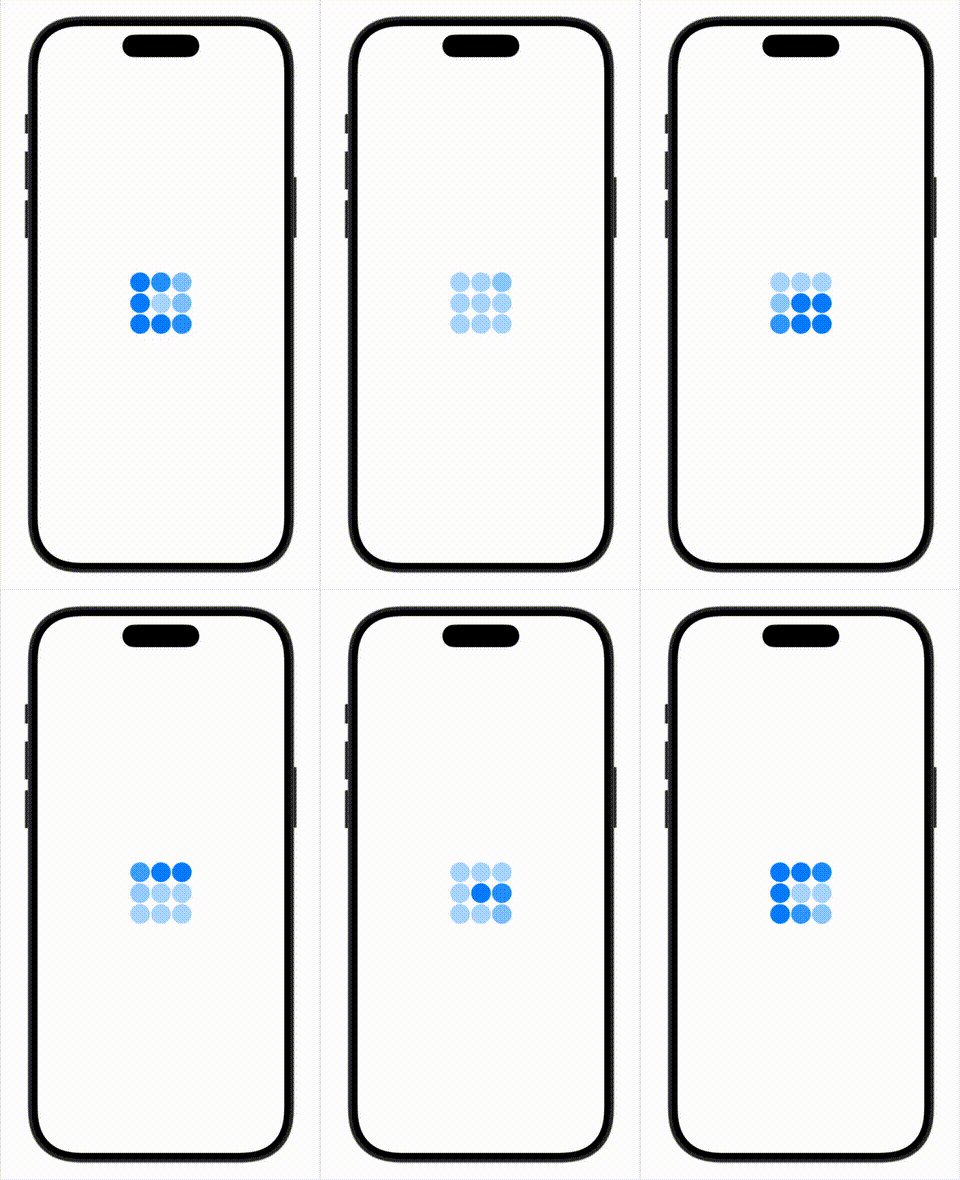
The Grok loading animation creates a “snake” effect:
- Starting from the top-right circle, cells light up sequentially
- Each cell fades from 0.3 to 1.0 opacity over a brief duration (0.3s)
- Cells start with a stagger delay (0.1s) for smooth overlap
- The “snake” has a fixed length (3 cells) that stays lit
- As new cells light up, the tail fades out
- The pattern traces a path resembling the number “6”
- The entire sequence loops infinitely
Here’s our starting structure:
struct GrokLoadingView: View {
    let animationOrder: [[Int]] = [
        [2, 1, 0],
        [3, 8, 7],
        [4, 5, 6]
    ]

    var body: some View {
        Grid(horizontalSpacing: 2, verticalSpacing: 2) {
            ForEach(0 ..< 3) { row in
                GridRow {
                    ForEach(animationOrder[row], id: \.self) { order in
                        Cell(color: .blue)
                    }
                }
            }
        }
    }

    struct Cell: View {
        var color: Color

        var body: some View {
            Circle()
                .fill(color)
        }
    }
}
Approach 1: The Naive GCD Solution
Coming from UIKit, we might reach for Grand Central Dispatch to manually orchestrate timing. Here’s how that looks:
struct GCDLoadingView: View {
    @State private var animationCycle: Int = 0

    let cellAnimationDuration: Double = 0.3
    let staggerDelay: Double = 0.1
    let snakeLength: Int = 3

    let animationOrder: [[Int]] = [
        [2, 1, 0],
        [3, 8, 7],
        [4, 5, 6]
    ]

    var body: some View {
        Grid(horizontalSpacing: 2, verticalSpacing: 2) {
            ForEach(0 ..< 3) { row in
                GridRow {
                    ForEach(animationOrder[row], id: \.self) { order in
                        Cell(
                            animationCycle: animationCycle,
                            order: order,
                            config: config
                        )
                    }
                }
            }
        }
        .onAppear {
            startAnimationLoop()
        }
    }

    var config: AnimationConfig {
        AnimationConfig(
            cellDuration: cellAnimationDuration,
            stagger: staggerDelay,
            snakeLength: snakeLength,
            totalCells: 9
        )
    }

    private func startAnimationLoop() {
        let maxOrder = 8
        let fullCycleDuration = Double(maxOrder) * staggerDelay
            + cellAnimationDuration
            + Double(snakeLength) * staggerDelay
            + cellAnimationDuration

        animationCycle += 1

        DispatchQueue.main.asyncAfter(deadline: .now() + fullCycleDuration) {
            startAnimationLoop() // Recursively schedule next cycle
        }
    }

    struct AnimationConfig {
        let cellDuration: Double
        let stagger: Double
        let snakeLength: Int
        let totalCells: Int

        var cycleDuration: Double {
            Double(totalCells - 1) * stagger + cellDuration + Double(snakeLength) * stagger + cellDuration
        }
    }

    struct Cell: View {
        var animationCycle: Int
        var order: Int
        var config: AnimationConfig

        @State private var opacity: CGFloat = 0.3

        var body: some View {
            Circle()
                .fill(.blue)
                .opacity(opacity)
                .onChange(of: animationCycle) { _, _ in
                    animateCell()
                }
        }

        private func animateCell() {
            let startDelay = Double(order) * config.stagger
            let holdDuration = Double(config.snakeLength) * config.stagger
            let fadeOutDelay = startDelay + config.cellDuration + holdDuration

            withAnimation(.easeInOut(duration: config.cellDuration).delay(startDelay)) {
                opacity = 1.0
            }

            withAnimation(.easeInOut(duration: config.cellDuration).delay(fadeOutDelay)) {
                opacity = 0.3
            }
        }
    }
}
Problems with the GCD Approach
This works for the first cycle, but quickly reveals several issues:
- Recursive Scheduling: Using
asyncAfterrecursively feels fragile—what if the view disappears? - Memory Concerns: Recursive closures can create retain cycles if not careful
- Synchronization Drift: Over many cycles, tiny timing inaccuracies compound
- Not Declarative: This imperative approach fights against SwiftUI’s design philosophy
- Lifecycle Issues: What happens on background/foreground transitions?
The fundamental issue: we’re trying to imperatively control time in a declarative framework.
Approach 2: TimelineView—The Idiomatic Solution
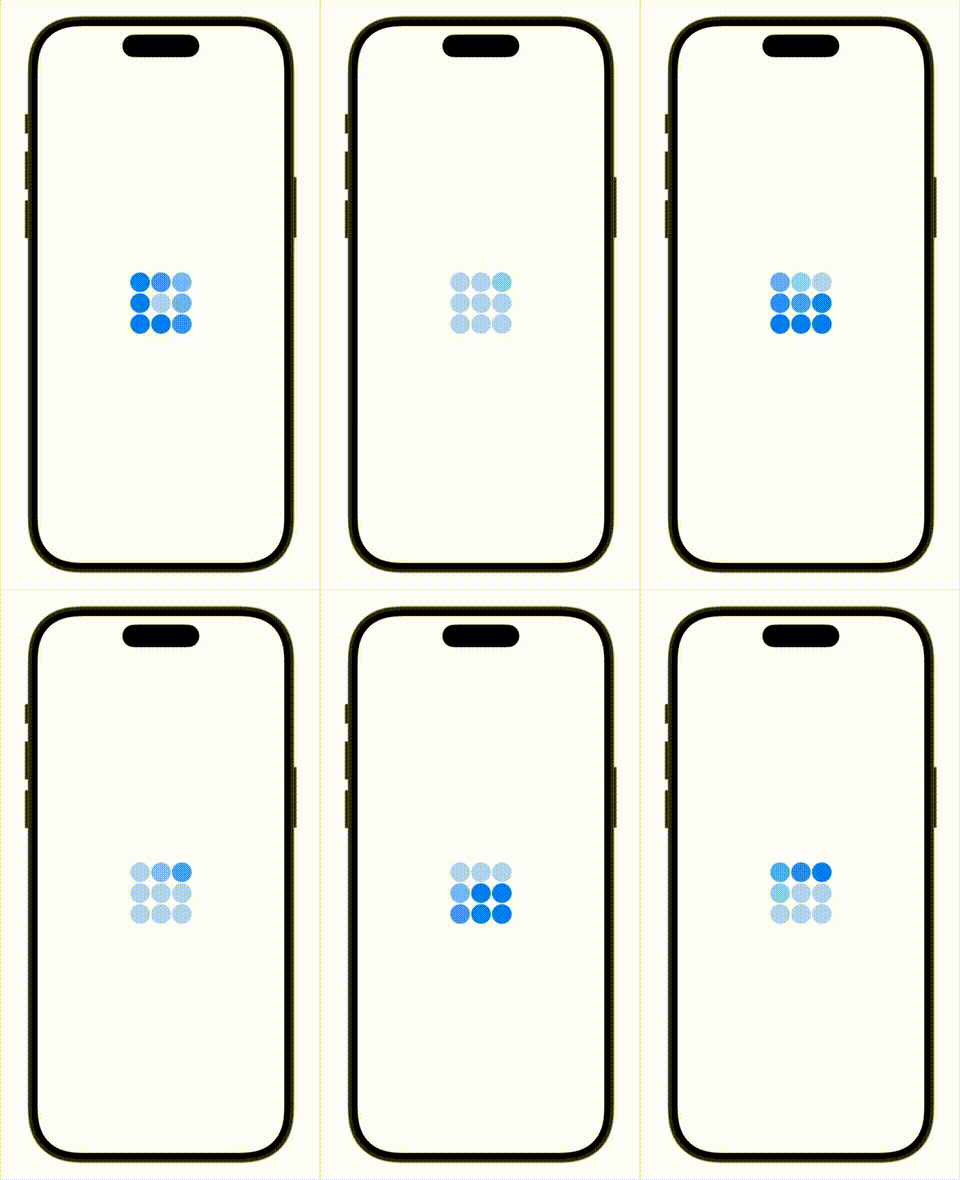
TimelineView represents a paradigm shift in how we think about time-based animations. Instead of managing state changes and delays, we simply ask: “What should my view look like at this exact moment?”
struct GrokLoadingView: View {
    let cellAnimationDuration: Double = 0.3
    let staggerDelay: Double = 0.1
    let snakeLength: Int = 3

    let animationOrder: [[Int]] = [
        [2, 1, 0],
        [3, 8, 7],
        [4, 5, 6]
    ]

    var body: some View {
        TimelineView(.animation) { context in
            Grid(horizontalSpacing: 2, verticalSpacing: 2) {
                ForEach(0 ..< 3) { row in
                    GridRow {
                        ForEach(animationOrder[row], id: \.self) { order in
                            Cell(
                                time: context.date.timeIntervalSinceReferenceDate,
                                order: order,
                                config: animationConfig
                            )
                        }
                    }
                }
            }
        }
    }

    var animationConfig: AnimationConfig {
        AnimationConfig(
            cellDuration: cellAnimationDuration,
            stagger: staggerDelay,
            snakeLength: snakeLength,
            totalCells: 9
        )
    }

    struct AnimationConfig {
        let cellDuration: Double
        let stagger: Double
        let snakeLength: Int
        let totalCells: Int

        var cycleDuration: Double {
            Double(totalCells - 1) * stagger + cellDuration + Double(snakeLength) * stagger + cellDuration
        }
    }

    struct Cell: View {
        var time: TimeInterval
        var order: Int
        var config: AnimationConfig
        let minOpacity = 0.3

        var body: some View {
            Circle()
                .fill(.blue)
                .opacity(calculateOpacity(time: time))
        }

        private func calculateOpacity(time: TimeInterval) -> CGFloat {
            // Get position within the animation cycle
            let cyclePosition = time.truncatingRemainder(dividingBy: config.cycleDuration)

            let startTime = Double(order) * config.stagger
            let growEndTime = startTime + config.cellDuration
            let holdEndTime = growEndTime + Double(config.snakeLength) * config.stagger
            let shrinkEndTime = holdEndTime + config.cellDuration

            if cyclePosition < startTime {
                return minOpacity
            } else if cyclePosition < growEndTime {
                let growProgress = (cyclePosition - startTime) / config.cellDuration
                return minOpacity + (growProgress * max((1 - minOpacity), 0))
            } else if cyclePosition < holdEndTime {
                return 1.0
            } else if cyclePosition < shrinkEndTime {
                let shrinkProgress = (cyclePosition - holdEndTime) / config.cellDuration
                return 1.0 - (shrinkProgress * max((1 - minOpacity), 0))
            } else {
                return minOpacity
            }
        }
    }
}
Understanding TimelineView
The Paradigm Shift
Classic SwiftUI Animation:
@State private var isAnimating = false

Circle()
    .opacity(isAnimating ? 1.0 : 0.3)
    .animation(.easeInOut, value: isAnimating)

// You say: "Go from A to B"
// SwiftUI figures out: all the frames in between
TimelineView Approach:
TimelineView(.animation) { context in
    let time = context.date.timeIntervalSinceReferenceDate
    Circle()
        .opacity(calculateOpacity(at: time))
}

// You calculate: "At time T, opacity should be X"
// SwiftUI renders: that exact state
How It Works
.animationSchedule: Updates the view every frame (~60fps)context.date: Provides the current timestamp- Pure Calculation: Each view calculates its appearance based solely on time
- No State Management: No
@State, noonChange, no timing logic
The Beauty of Mathematical Purity
The calculateOpacity function is beautifully deterministic:
- Given a time value, it always returns the same opacity
- No side effects, no state mutations
- Perfectly testable in isolation
- Can’t get out of sync—there’s only one source of truth (time)
let cyclePosition = time.truncatingRemainder(dividingBy: config.cycleDuration)This single line encapsulates the entire looping behavior. The modulo operation naturally creates an infinite cycle, with no need for recursive scheduling or manual resets.
Performance Considerations
“But wait,” you might ask, “doesn’t updating 60 times per second hurt performance?”
What’s Actually Happening
Every frame, TimelineView:
- Calls the body closure with updated time
- Each cell runs
calculateOpacity()(9 simple math operations) - SwiftUI diffs the view tree
- Only changed properties trigger GPU updates
The Calculations Are Trivial
// This runs 60 times per second per cell (540 times/second total)
let cyclePosition = time.truncatingRemainder(dividingBy: config.cycleDuration)
if cyclePosition < startTime { return 0.3 }
// ... more comparisons and basic arithmetic
Modern devices handle this effortlessly. These are O(1) operations with no allocations.
SwiftUI’s Smart Diffing
Most frames, most cells are in their “hold” phase—opacity stays at 0.3 or 1.0. SwiftUI detects no changes and skips rendering. Only actively transitioning cells cause GPU work.
When to Worry About Performance
❌ Problematic in TimelineView:
- Creating new objects every frame
- Complex string formatting
- I/O operations (file access, network calls)
- Heavy computational work
- Changing view hierarchy structure
✅ Perfectly Fine:
- Simple arithmetic and comparisons
- Property access
- Pure calculations
- Reading constant data
Design Principles for TimelineView Content
When building views that live inside TimelineView:
1. Keep Calculations Pure
// ✅ Good - pure, lightweight
private func calculateOpacity(time: TimeInterval) -> CGFloat {
    let cycle = time.truncatingRemainder(dividingBy: duration)
    return 0.3 + (cycle / duration) * 0.7
}

// ❌ Bad - side effects, heavy work
private func calculateOpacity(time: TimeInterval) -> CGFloat {
    updateDatabase() // I/O!
    let result = heavyMatrixMath() // CPU intensive!
    return result
}
2. Maintain Stable View Hierarchy
// ❌ Bad - hierarchy changes based on time
TimelineView(.animation) { context in
    if shouldShow(context.date) {
        VStack { ... }
    } else {
        HStack { ... }
    }
}

// ✅ Good - stable hierarchy, animate properties
TimelineView(.animation) { context in
    VStack { ... }
        .opacity(shouldShow(context.date) ? 1 : 0)
}
When to Use
Use TimelineView When:
- Building continuous animations (loading spinners, progress bars)
- Synchronizing multiple animated elements
- Creating clocks or timers
- Needing precise, mathematical animation control
Consider Alternatives When:
- Simple state transitions (button press animations)
- One-off animations in response to user interaction
- Very simple toggle animations
Conclusion
The Grok loading animation perfectly illustrates why TimelineView exists. While the GCD approach might feel familiar to UIKit developers, it fights against SwiftUI’s declarative nature. Every frame becomes a calculation problem rather than a state management problem.
TimelineView transforms the question from “How do I schedule these events?” to “What should I show right now?” This shift produces code that’s:
- More maintainable: Pure functions are easier to reason about
- More reliable: No timing drift or synchronization issues
- More testable: Deterministic calculations with no side effects
- More idiomatic: Working with SwiftUI, not against it
Next time you’re building a complex animation, resist the urge to reach for DispatchQueue.main.asyncAfter. Ask yourself: “Can I express this as a function of time?” If yes, TimelineView is probably your answer.
The best code isn’t always the most familiar—sometimes it’s the code that embraces the paradigm of the framework you’re using.