I’ve been going back and forth between Xcode and an AI agent while working on my iOS app. The agent builds through XcodeBuildMCP, then I switch to Xcode to inspect or debug the result. What annoyed me was watching Xcode repeat build work the agent had just finished, even though no code had changed.
At one point, an unchanged handoff took around 100 seconds. Getting both builds to succeed was only part of the problem. I wanted them to reuse the same outputs.
We got there by sharing build locations and caches. We also found a way to eliminate the remaining relinking, but I decided to leave that workaround out of our setup. The maintenance cost was hard to justify for a few seconds per switch.
Why bother
I still use Xcode while working with agents. I want to inspect a change, use the debugger, then let the agent continue. Xcode’s native MCP can ask the IDE to build, while XcodeBuildMCP provides a separate command-line build route alongside simulator and debugging tools.
Having to stick to one route to preserve fast builds is annoying. Small edits become expensive when each switch repeats build work. Cleaning the build folder might hide a problem, but it also throws away the incremental state I want to keep.
Give both builds the same locations
We started by aligning DerivedData, products, intermediates, and compiler caches within the same worktree.
In Xcode’s Locations settings, I selected Relative Derived Data with the path DerivedData.
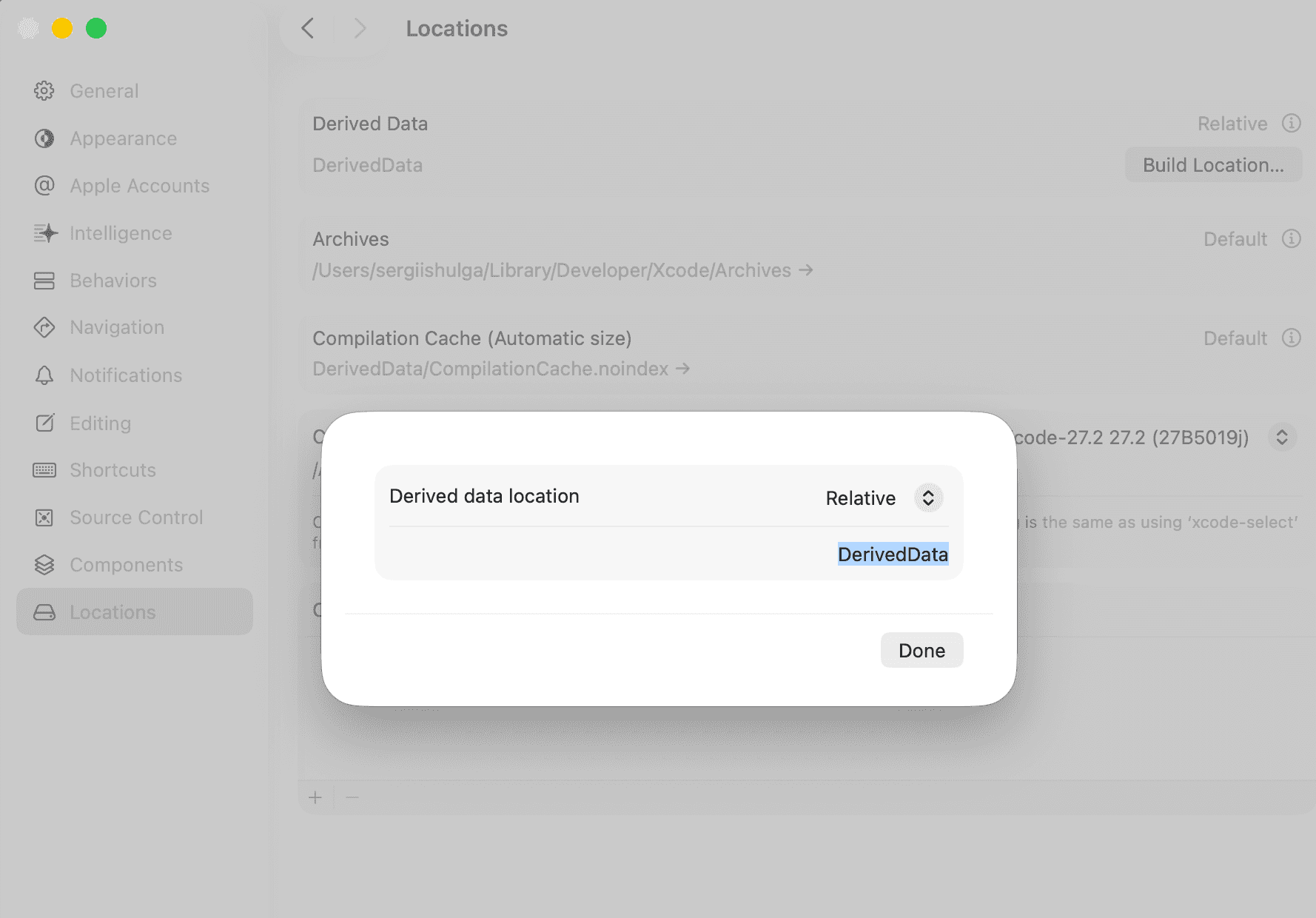
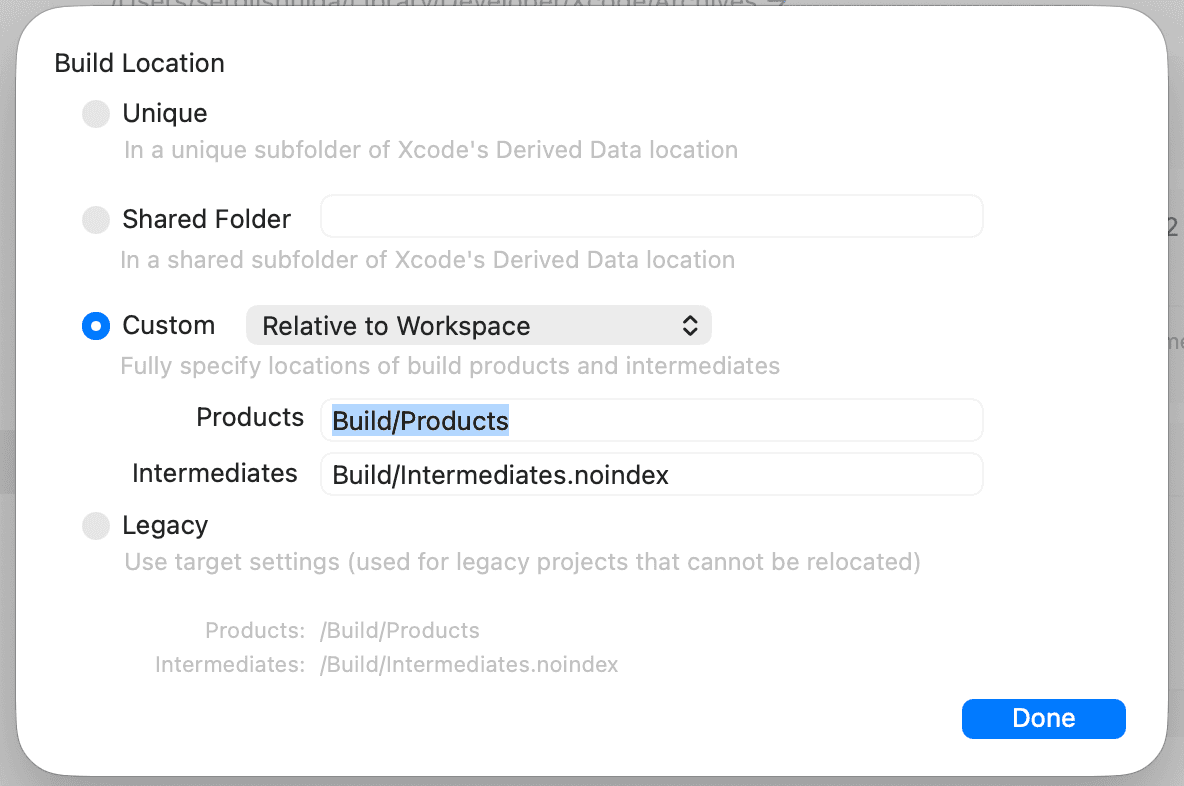
For custom build locations, I selected Relative to Workspace and used Build/Products and Build/Intermediates.noindex. The workspace inherits those settings. I reopened it after the change so it would stop using the old package checkout paths.
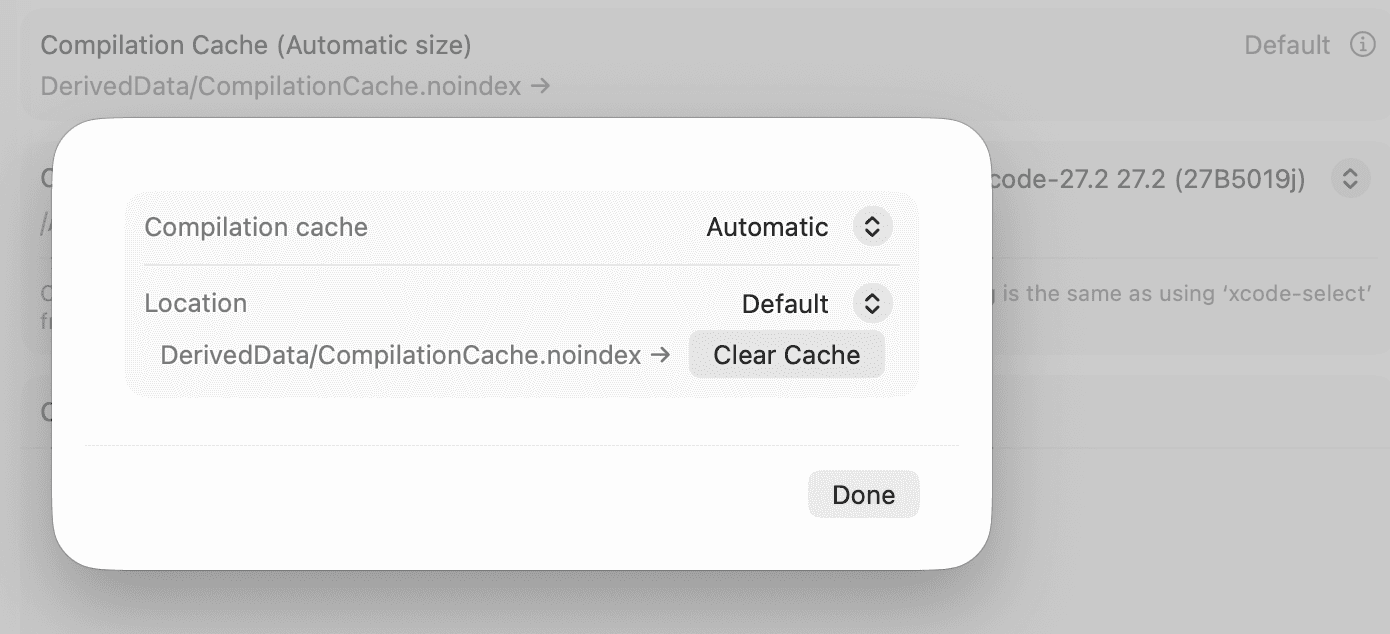
I left Compilation Cache on Automatic with its location set to Default. Xcode shows the resulting path as DerivedData/CompilationCache.noindex.
For my Oratio.xcworkspace, Xcode puts the workspace data in DerivedData/Oratio, with compiler and module caches beside it. The corresponding .xcodebuildmcp/config.yaml settings are:
schemaVersion: 1
sessionDefaults:
  workspacePath: Oratio.xcworkspace
  derivedDataPath: DerivedData/Oratio
  extraArgs:
    - COMPILATION_CACHE_CAS_PATH=$(XCODEBUILDMCP_CWD)/DerivedData/CompilationCache.noindex
    - MODULE_CACHE_DIR=$(XCODEBUILDMCP_CWD)/DerivedData/ModuleCache.noindex
    - SDK_EXPLICIT_MODULES_OUTPUT_PATH=$(XCODEBUILDMCP_CWD)/DerivedData/SDKExplicitPrecompiledModules
    - CLANG_MODULES_BUILD_SESSION_FILE=$(XCODEBUILDMCP_CWD)/DerivedData/ModuleCache.noindex/Session.modulevalidation
    - SDK_STAT_CACHE_DIR=$(XCODEBUILDMCP_CWD)/DerivedData
This is the cache-related part of the config. Scheme and destination still need to match. The MCP launch command sets XCODEBUILDMCP_CWD to the absolute worktree root. Each worktree keeps separate outputs, and builds within one worktree run sequentially.
Why was it still linking?
Matching the locations removed compilation work, but switching tools still triggered linking.
The remaining difference was PATH.
Swift Build includes the task’s environment when computing its signature. Its signature implementation shows this explicitly. The linker arguments can stay identical while a changed environment makes the build system run the task again.
We tested this by appending an unused directory to the MCP server’s PATH. No source, dependency pins, or build settings changed. These checks used Xcode 27.2 and XcodeBuildMCP 2.7.0, targeting the same iOS simulator:
| Build, in order | Compile tasks | Link tasks | Code-sign tasks |
|---|---|---|---|
| Native Xcode baseline | 0 | 0 | 0 |
MCP with changed PATH |
0 | 84 | 38 |
Repeat with that same PATH |
0 | 0 | 0 |
| MCP with Xcode’s linker environment restored | 0 | 84 | 38 |
| Native Xcode again | 0 | 0 | 0 |
For the sampled linker task, only env.PATH and the signature changed. Arguments and inputs stayed identical. Restoring the environment caused one more relink, then the native build finished in 4.9 seconds without compiling or linking.
How we verified the environment
During the experiment, we set the server’s PATH to /usr/local/bin:/usr/bin:/bin:/usr/sbin:/sbin. That reproduced the native linker environment on this machine. It is not a universal Xcode default, and we have since removed the override.
The reliable evidence is the native build’s manifest.json. With our layout, manifests live under Build/Intermediates.noindex/XCBuildData/*.xcbuilddata/. Use the manifest associated with the native build and check the adjacent build-request.json for the configuration and destination. Don’t blindly choose the newest file, because MCP writes there too and Xcode can reuse an older description.
This extracts the full linker PATH and refuses to guess if tasks have different values:
jq -er '
  [.commands[]
   | select((.description // "") | startswith("Ld "))
   | .env.PATH // empty]
  | unique
  | if length == 1 then .[0]
    else error("Inspect the different linker environments") end
' /path/to/native/manifest.json
The result includes Xcode’s toolchain directories. We tested passing that full value as the MCP server’s process PATH. All 84 linker task records then matched native Xcode exactly, including their signatures. Changing a PATH build setting had not achieved that.
For anyone investigating the same difference, that gives you a value to test in the MCP client’s server environment. The server needs a restart to pick it up. An absolute MCP executable path avoids problems if the replacement PATH omits Homebrew. The extracted value needs checking again after Xcode or toolchain changes, and the manifest format is an implementation detail too.
Why we left PATH alone
Full parity was possible. Matching the task environments let us switch without compiling or linking anything. But mimicking Xcode’s environment looks like a hack because it depends on details outside our control. Xcode or its build system could change, and we might not notice that our copied value had become stale.
The task counts made the workaround look more valuable than the timings did. In a later comparison, the MCP build took 26.2 seconds with a matching PATH and 28.6 seconds with its inherited PATH. The measured difference was 2.4 seconds, despite 84 extra link tasks and 38 signing tasks. Earlier measurements suggested savings of several seconds per switch. These are small samples, and machine load and build preparation varied, so I would not promise a fixed speedup.
That was enough for me to remove the PATH override from both Codex and OpenCode. We kept the shared build locations and cache settings. Switching can still trigger linking and downstream signing, but our unchanged builds reuse the compiled code. Repeated builds within the same environment skip the relinking too.
I would start with that setup. Measure the remaining delay before copying Xcode’s environment, especially if your project has scripts that find tools through PATH. For our workflow, I am happy to accept a few seconds of relinking and leave the client’s environment alone.